Skip to content
Tempest Tactics

SIM-BC · Built on Unity 6

Border Control Simulator

The Tempest Tactics Border Control Simulator is a training simulator for checkpoint and inspection procedures, in which officers search luggage and cargo, check documents and decide how to act on what they find.

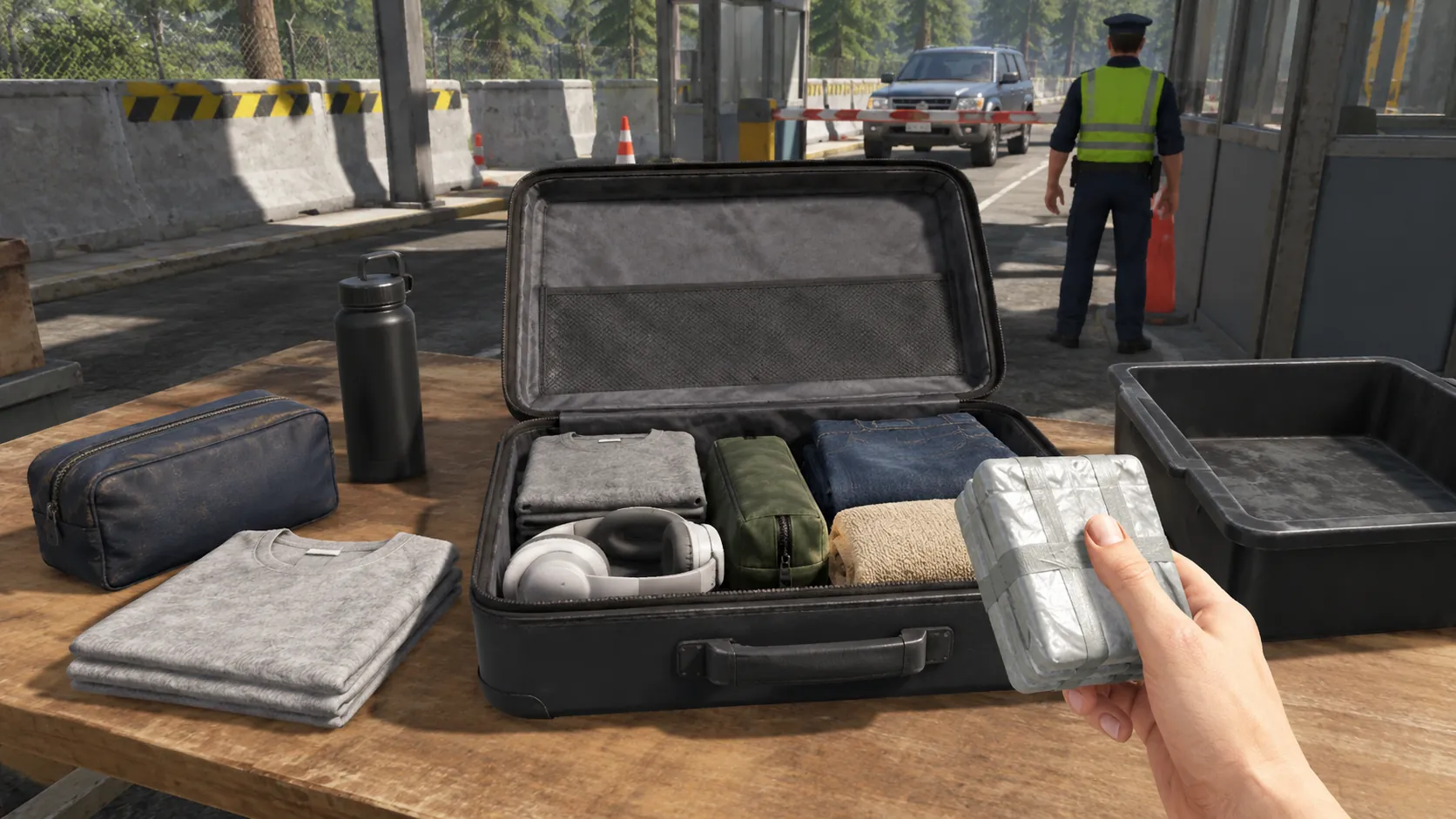
Trainee inspecting the contents of a suitcase at a simulated border checkpoint.
Luggage inspection at the checkpoint. · In-simulator screenshot
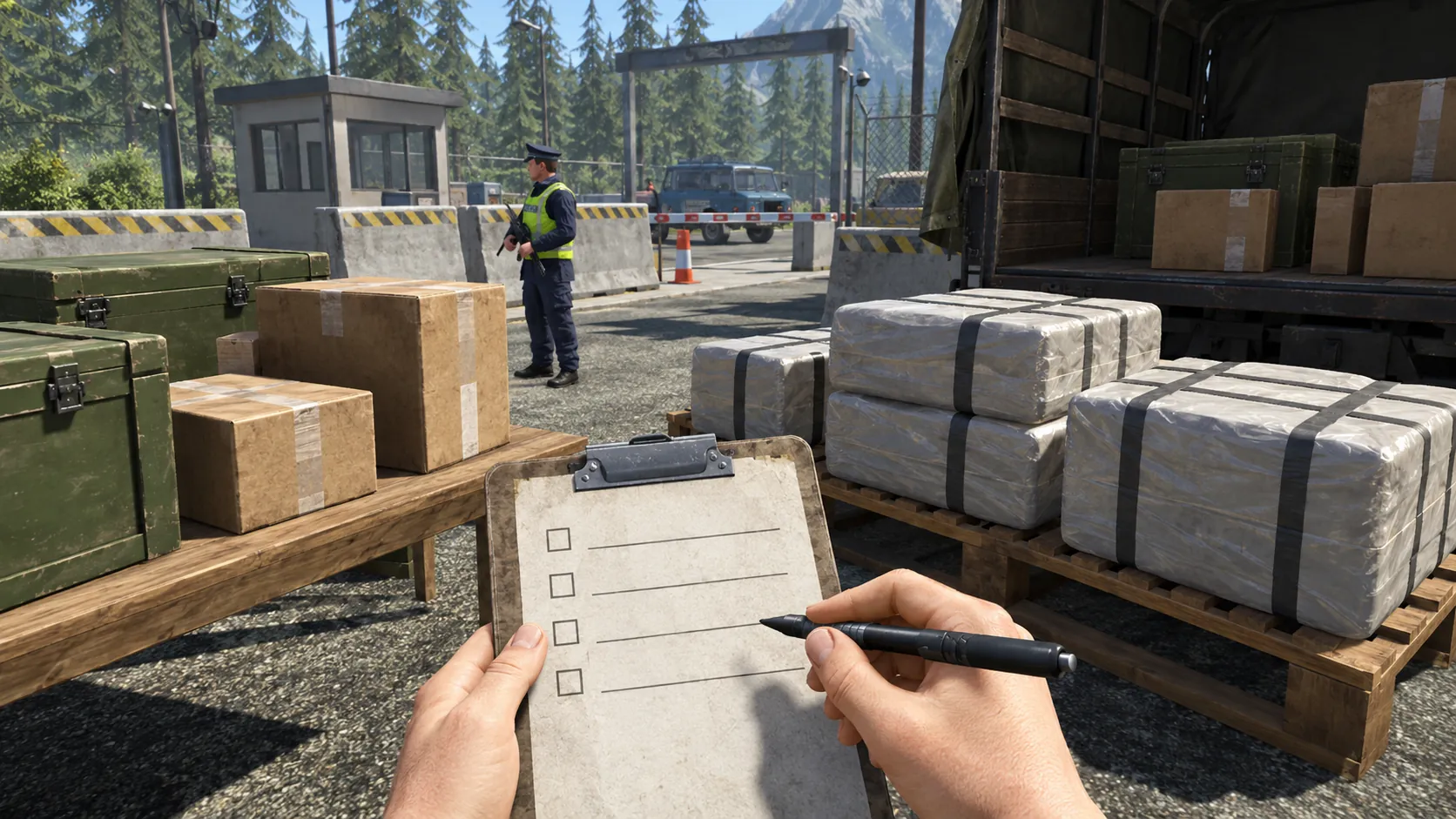
  • Trainee completing an inspection checklist beside cargo crates and wrapped packages at a simulated border crossing.
    Cargo inspection with a procedure checklist.
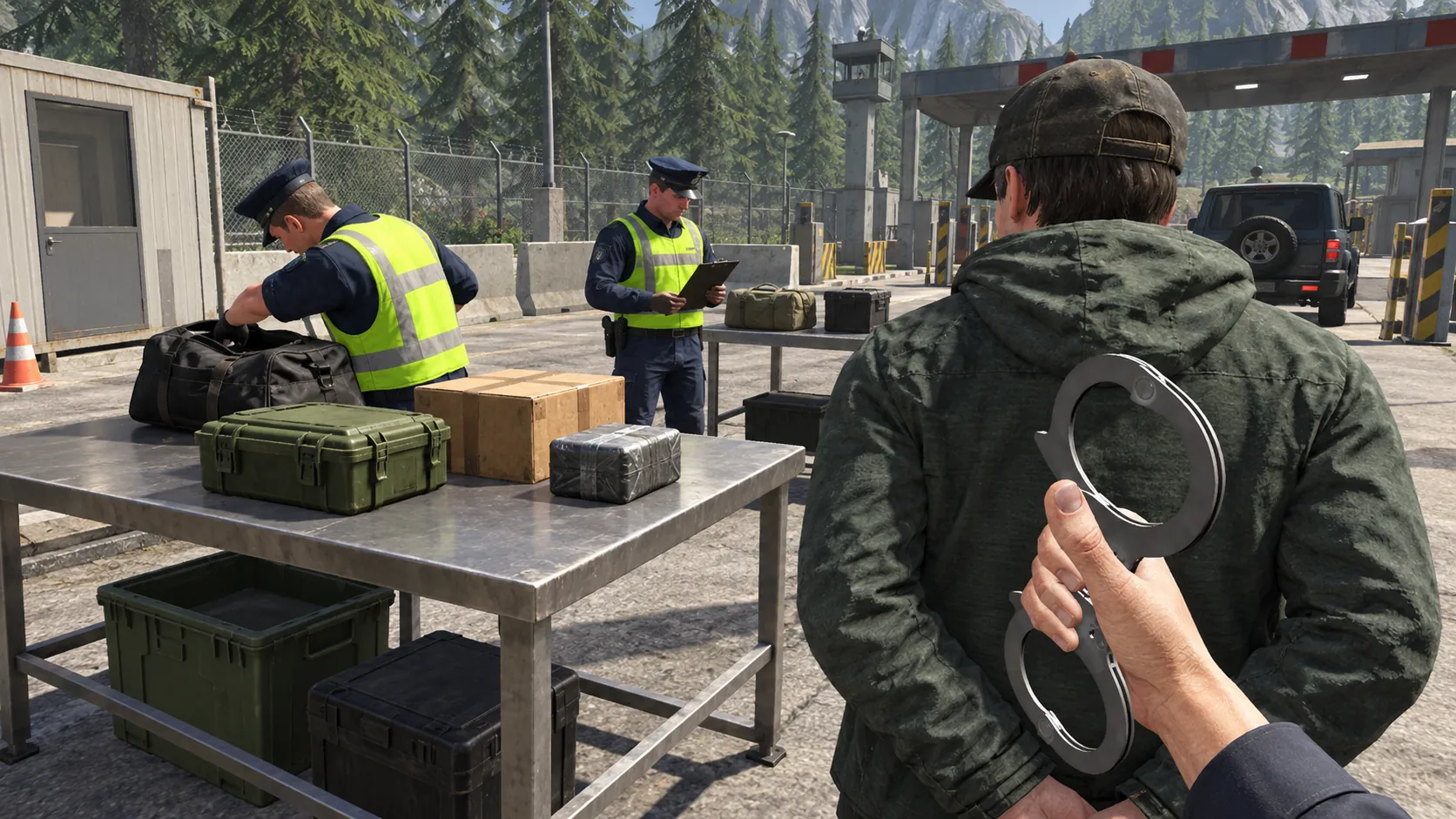
  • Trainee holding handcuffs behind a detained person while officers search bags at a simulated checkpoint.
    Detention procedure after a finding.

Training scenarios

What trainees practise

Scenarios can vary conditions, actors and events between runs, so the same environment presents a different problem each time.

  1. 01

    Luggage inspection

    Search bags and personal items, identify items of interest and decide the next step.

  2. 02

    Cargo and vehicle inspection

    Work through cargo, crates and vehicles against a procedure checklist.

  3. 03

    Document and interview checks

    Practise checking travellers and drivers and handling inconsistent answers.

  4. 04

    Detention procedure

    Rehearse the steps from a positive finding to a controlled detention.

  5. 05

    Changing conditions

    Vary traffic, the number of travellers, what is hidden and where, and how people behave.

VR Instructor

The instructor runs the exercise

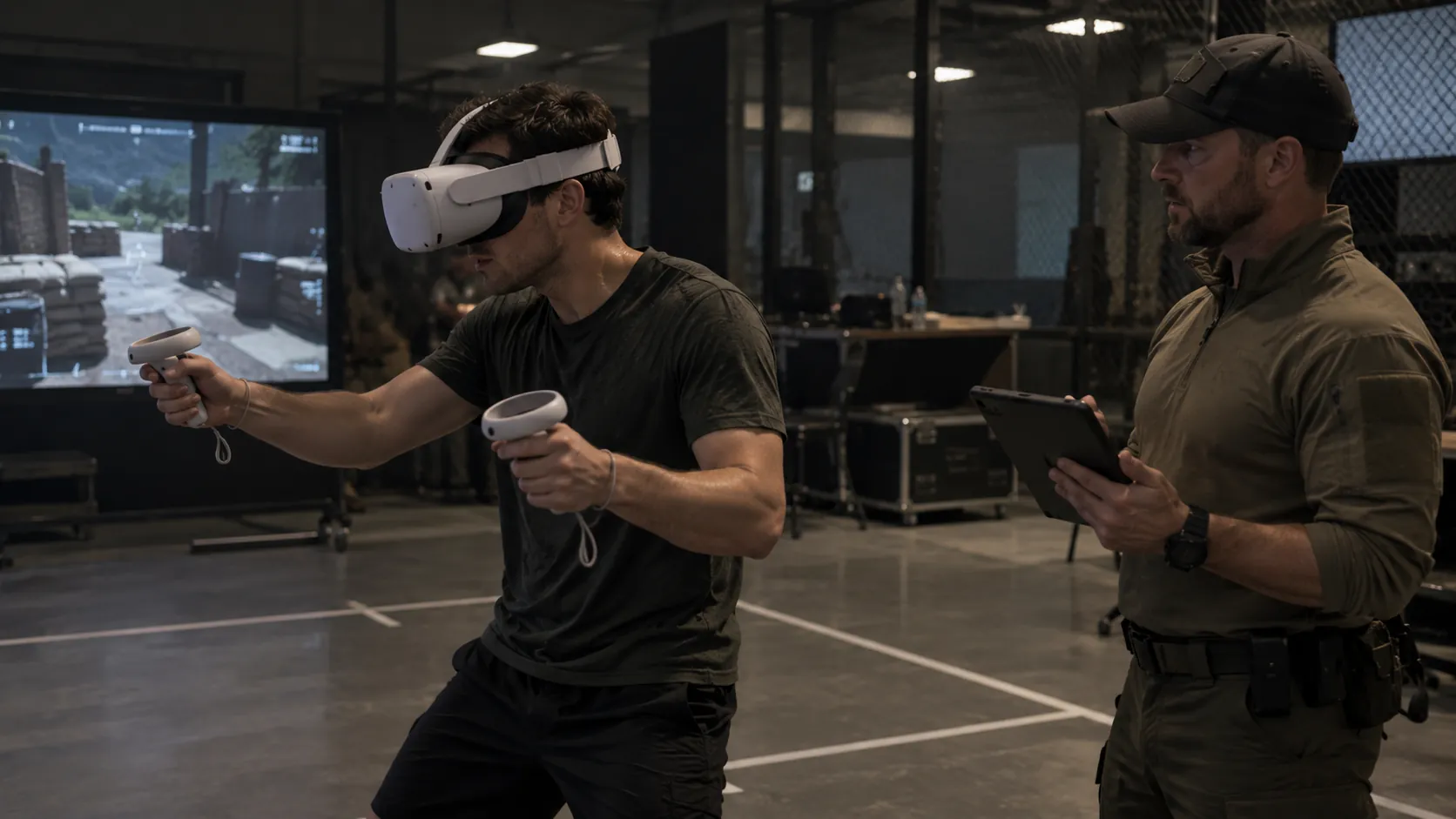
Tempest Tactics VR simulations give the instructor a central role. From a tablet app, the VR instructor manages the content and variations of each VR experience, creates customised exercises and reviews performance indicators and grades after every session.

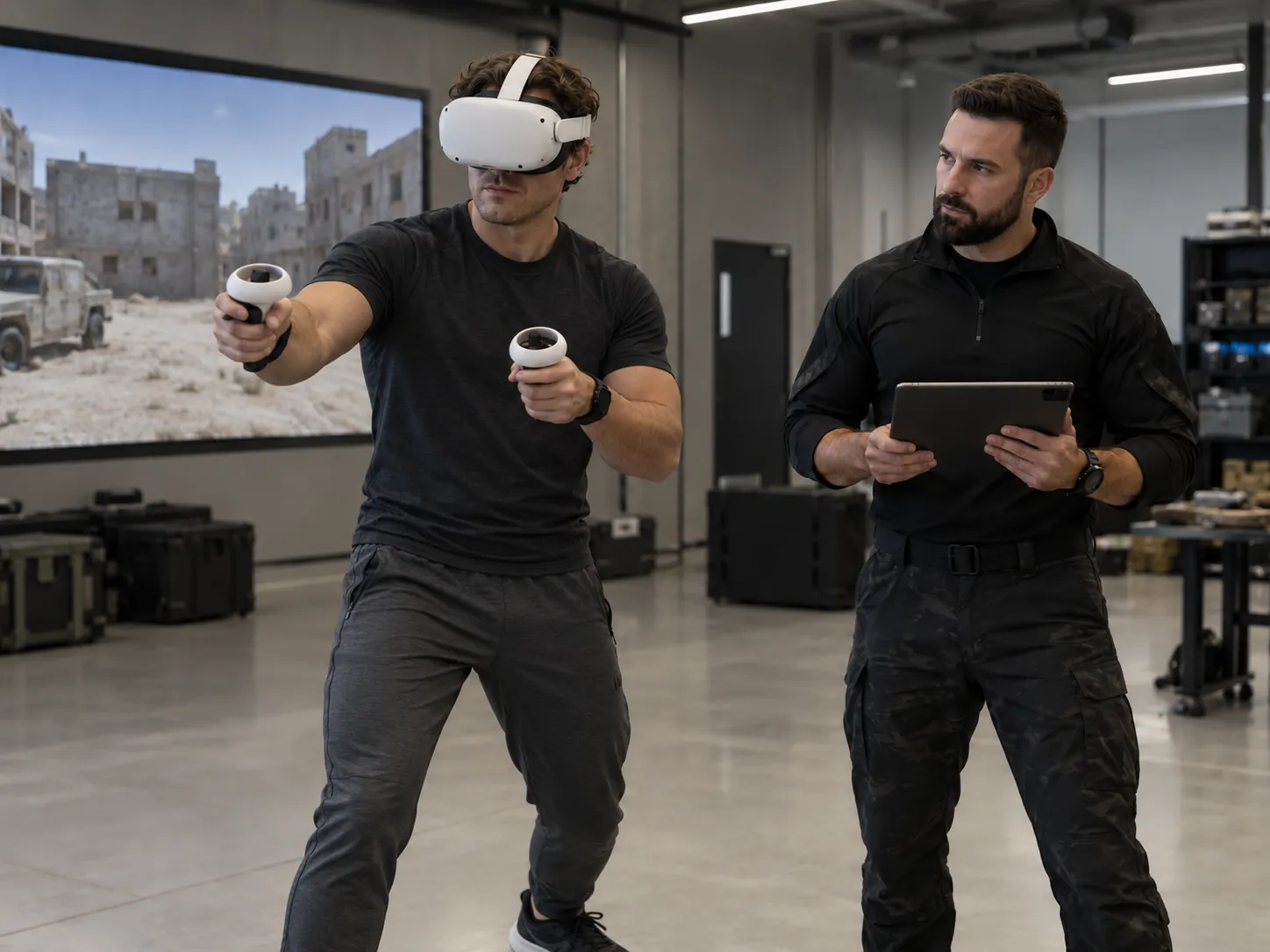
Instructor holding a tablet supervises a trainee wearing a VR headset, with the simulated environment shown on a large screen behind them.
The VR instructor supervises the session from the app.

01

Supervised learning

The instructor stays beside the trainee throughout the exercise, following it from the app and a shared display.

From the app, the instructor manages which content runs and which variations are active, and adjusts the session as it unfolds. Training is guided by a person, not left to the software.

Instructor with a tablet configuring an exercise while a trainee in a VR headset works through it, the simulated scene visible on a screen.
Exercises built and varied by the instructor.

02

Instructor-customised exercises

With the exercise variation system, the instructor creates customised experiences: choosing the scenario and changing conditions, actors and events.

Each trainee can face the situations they most need to practise, and the same environment never has to play out the same way twice.

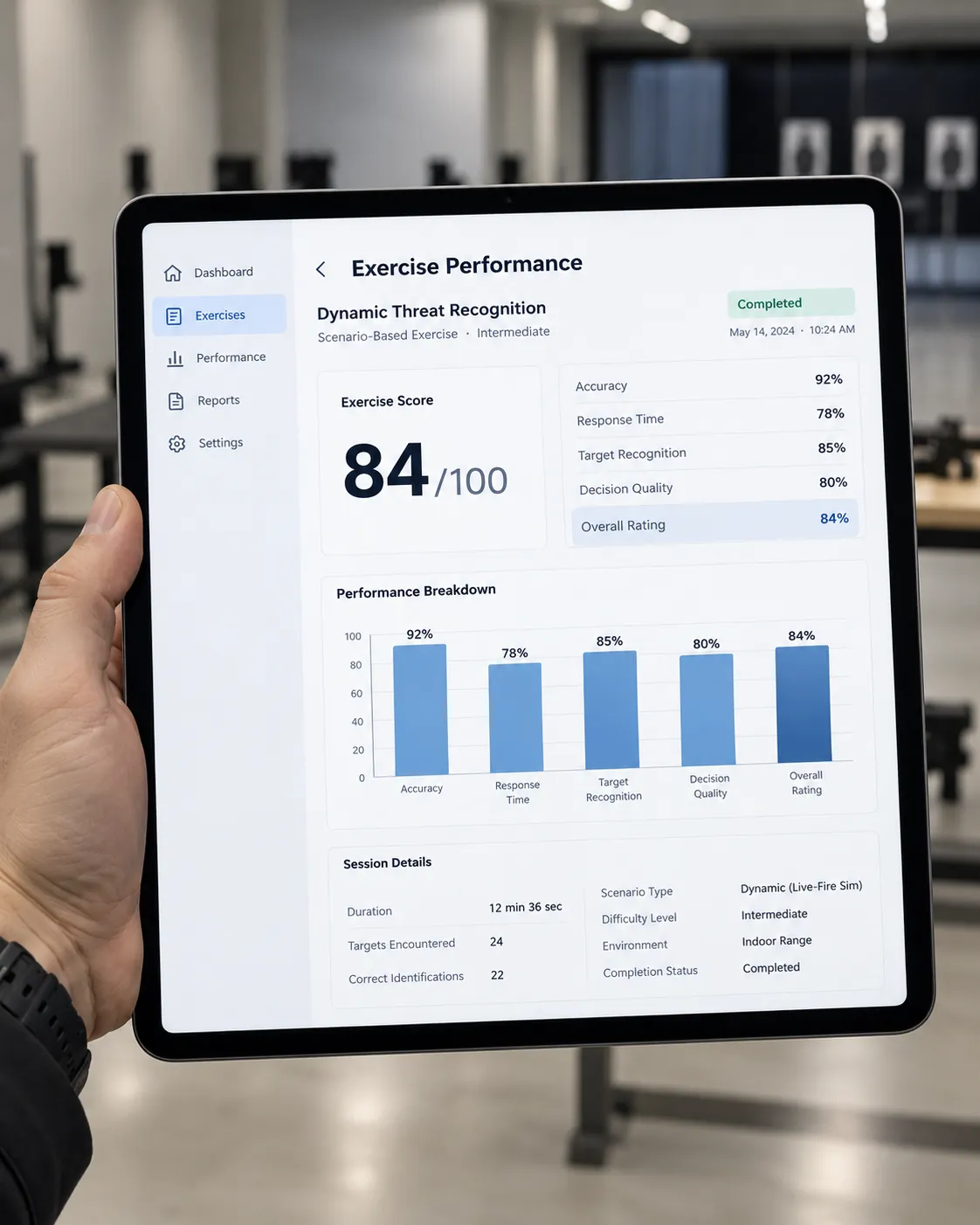
Tablet showing the instructor app's exercise performance screen: an overall score out of 100, indicator percentages, a bar chart and session details.
Example app screen. Indicators and values shown are illustrative.

03

Performance indicators and grades

After each exercise, the app returns performance indicators and a grade for the trainee, for example accuracy, response time, recognition and decision quality.

The instructor can see which areas need more work and build the next exercise around them.

System features

What the simulator includes

  • VR instructor app

    Manage content and variations, create customised exercises and review performance indicators and grades.

  • Scenario variation

    The same environment can present a different situation on each run.

  • Instructor control

    Set up the scenario, change conditions during the run and observe every trainee.

  • After-action review

    Sessions can be recorded and replayed for a structured debrief.

  • Multi-user

    Several trainees or teams can share one scenario.

  • Display options

    Desktop, multi-screen or VR, chosen for the task and the training space.

  • Built on Unity 6

    Real-time 3D environments on a current, widely supported engine.

Tailored solutions

Tailored to your organisation

Tempest Tactics works with public and private entities, and each simulator is tailored to the organisation that will train on it.

  • Your checkpoint layout, infrastructure and vehicle types
  • Your inspection procedures, checklists and legal steps
  • Your equipment and uniforms
  • The items, documents and behaviours your officers need to recognise
  • Interface language and terminology

Public entities

  • Border police and border guards
  • Customs services
  • Police and security forces
  • Training academies

Private entities

  • Port, airport and logistics security operators
  • Private security training providers
  • Systems integrators

Border Control Simulator: questions

What can the VR instructor do in the app?
Manage the content and variations of the VR experience, create customised exercises with the exercise variation system, and review each trainee's performance indicators and grades to decide which areas to work on next.
What is a border control simulator?
A simulator in which officers practise checkpoint procedures, such as luggage, cargo and document checks and detentions, in a virtual border crossing instead of on live traffic.
Can the simulator follow our own procedures?
Yes. Procedures, checklists, checkpoint layout and equipment are tailored to the organisation that will train on it.
Does every run look the same?
No. What travellers carry, where items are hidden and how people behave can change between runs.
Which engine is it built on?
The Border Control Simulator is built on Unity 6.
Who is it for?
Public bodies such as border police and customs, and private organisations such as port, airport and logistics security operators.

Request a tailored Border Control simulator